
What Mizan does in your shop
From the first sale of the morning to counting the drawer in the evening. Everything on this page works in the app today, and anything that is on the Economic plan only is marked.
A till in your pocket
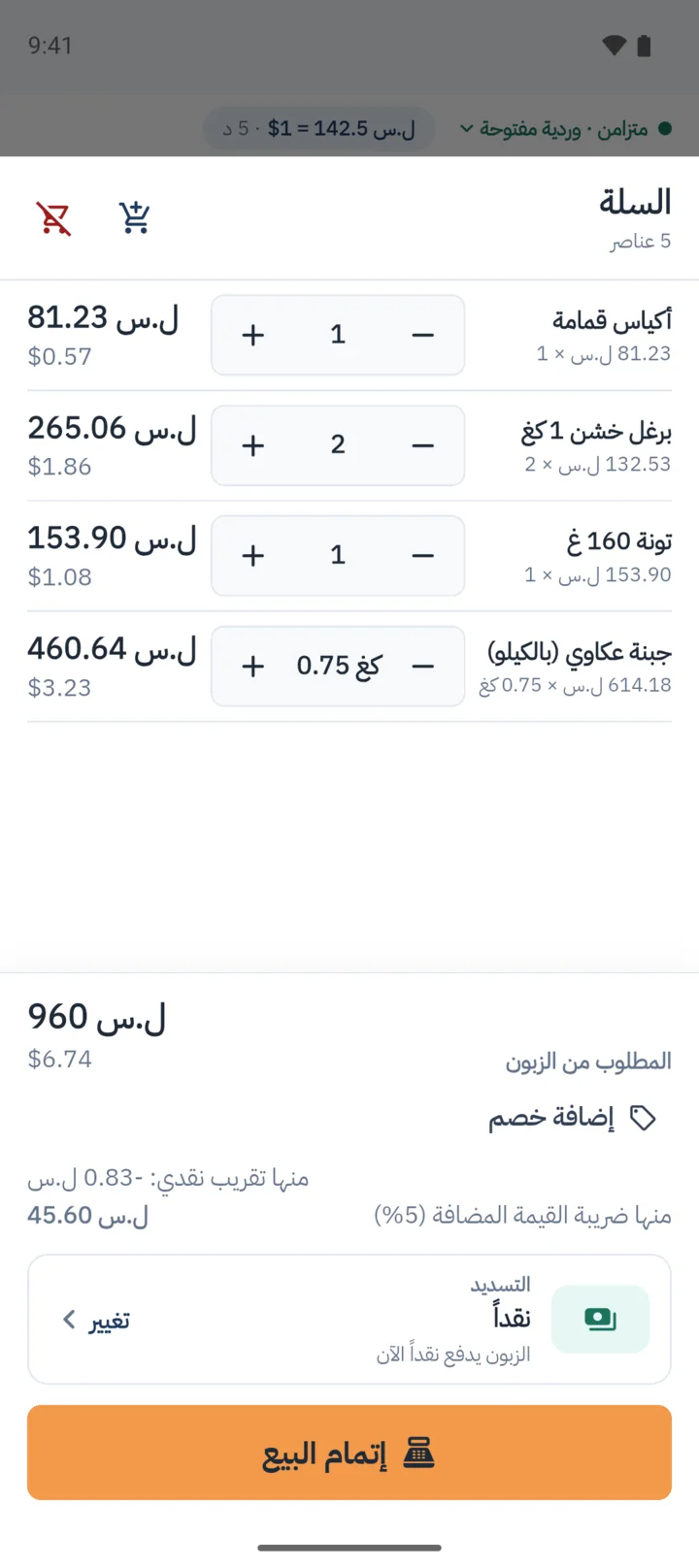
Scan the barcode with the phone’s camera or a scanner, sell by weight or by amount, and take payment the way your customer pays.
- Selling by weight to three decimals: 0.350 kg. A customer who says "a hundred pounds’ worth" gets sold by the amount, and Mizan works out the weight.
- A cart for each customer, up to six, moved between with a tap.
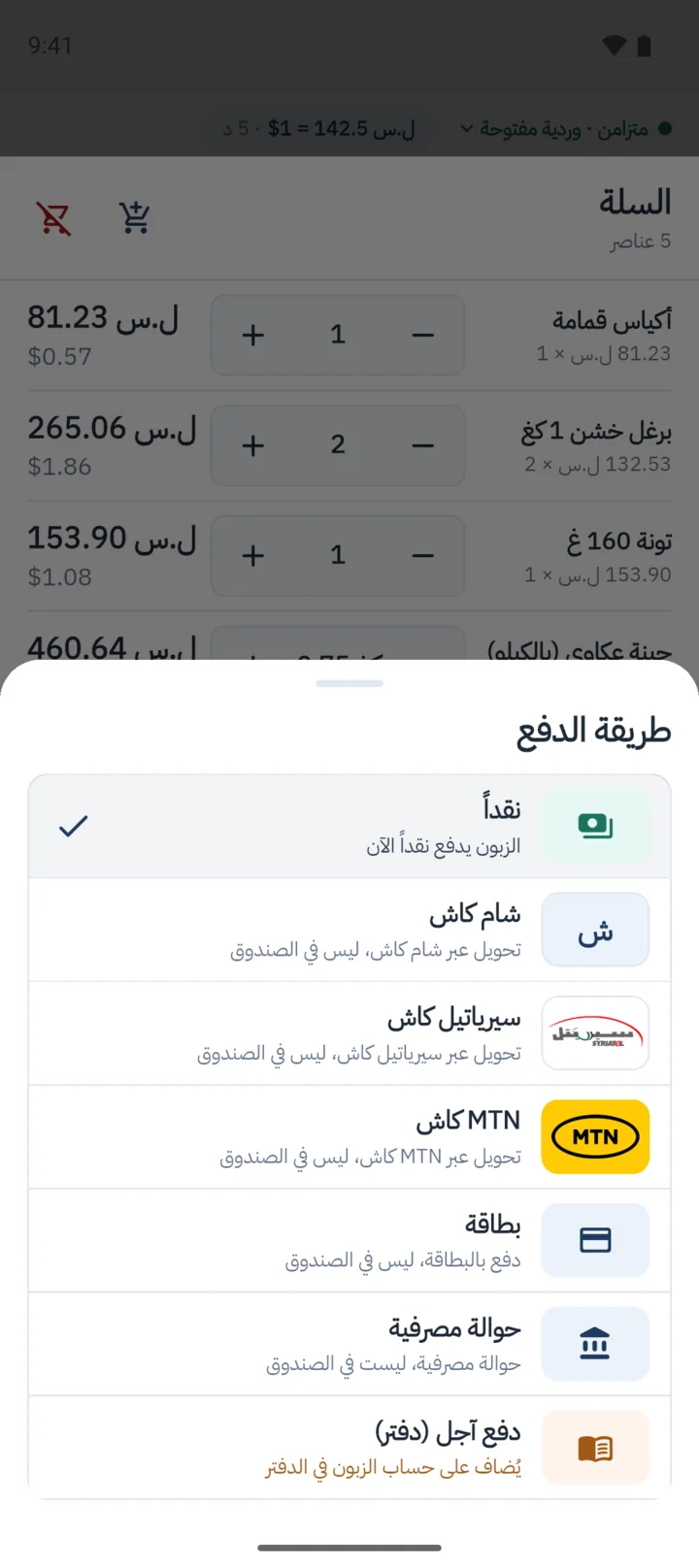
- Seven ways to pay: cash, Sham Cash, Syriatel Cash, MTN Cash, transfer, card, credit.
- Discounts on a line or on the whole bill, and partial returns and voids, with a reason.
- Receipts on WhatsApp from the phone.
- A till on a computer too, for those who want one.
- Economic Receipts sent to the customer on WhatsApp by the shop, automatically.
It sells with the line down
Selling never waits for a connection. Sales wait on the phone, encrypted, and go up when the line is back.
- The phone sells for up to 30 days without reaching the server, with a countdown in the last week.
- A sale that arrives twice is counted once.
- The phone locks when idle, and unlocks offline.
- If 48 hours pass with no confirmed exchange rate, checkout stops until a new rate arrives, or until someone on the phone types one in for it.
The exchange rate and the drawer, in plain view
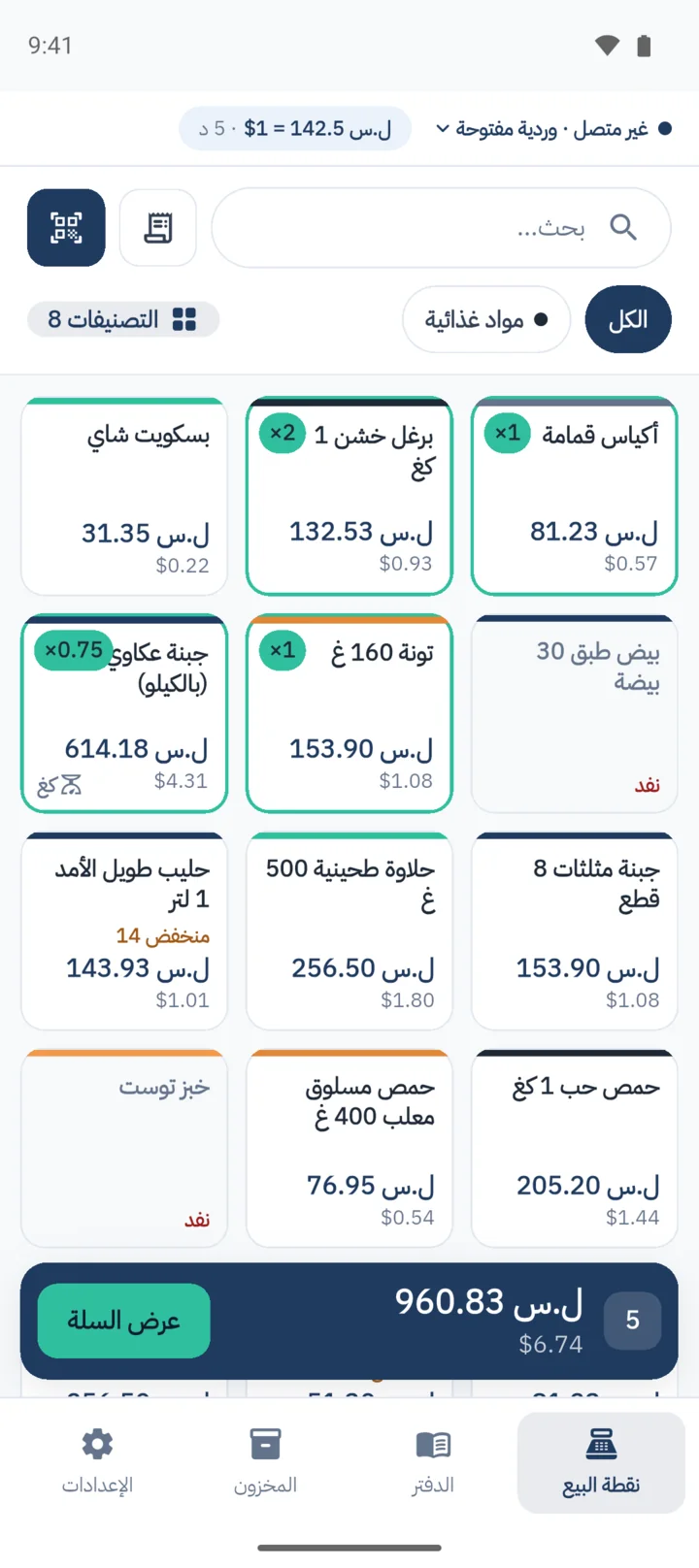
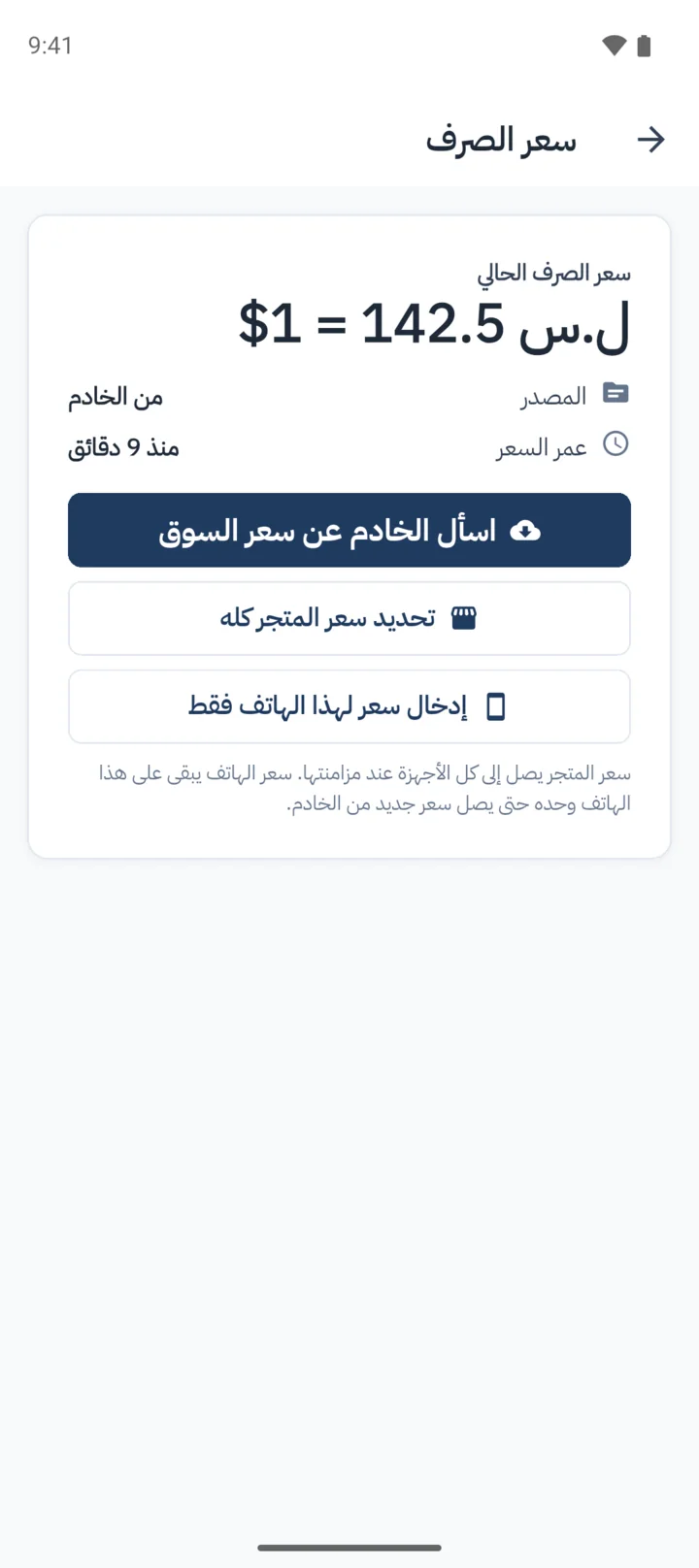
You open the shift with the float in the drawer. The exchange rate arrives from the server, and its age is written at the top of the screen.
- The market rate arrives from the server every fifteen minutes, and the owner or a manager can type one in.
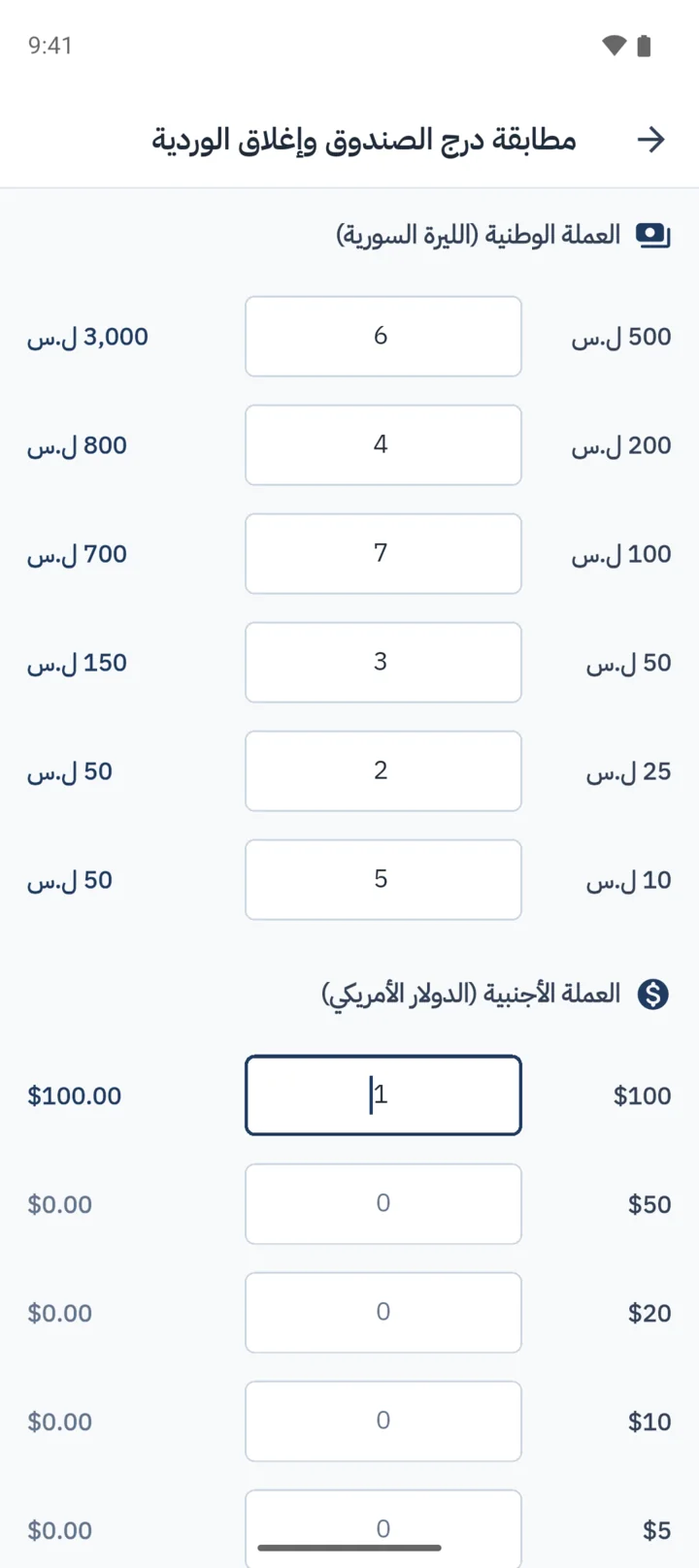
- Opening and closing shifts with a drawer count, note by note, and the closing report: what was taken by each way of paying.
- Cash in and out of the drawer that is not a sale.
- Economic The cash total rounds to the nearest note in circulation.
- Economic A WhatsApp alert when the drawer differs from what was expected, and a manager approves the shift on the dashboard.
The daftar: a debt ledger, line by line
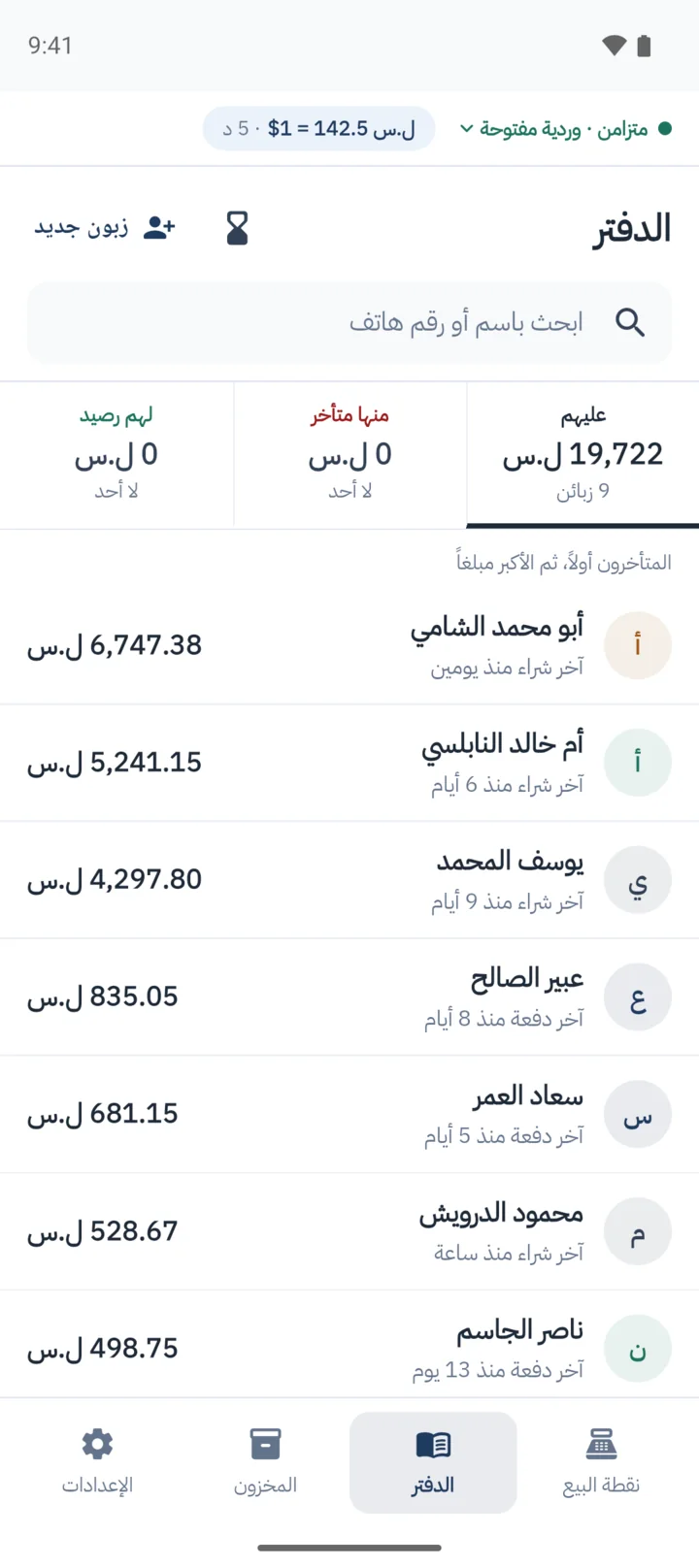
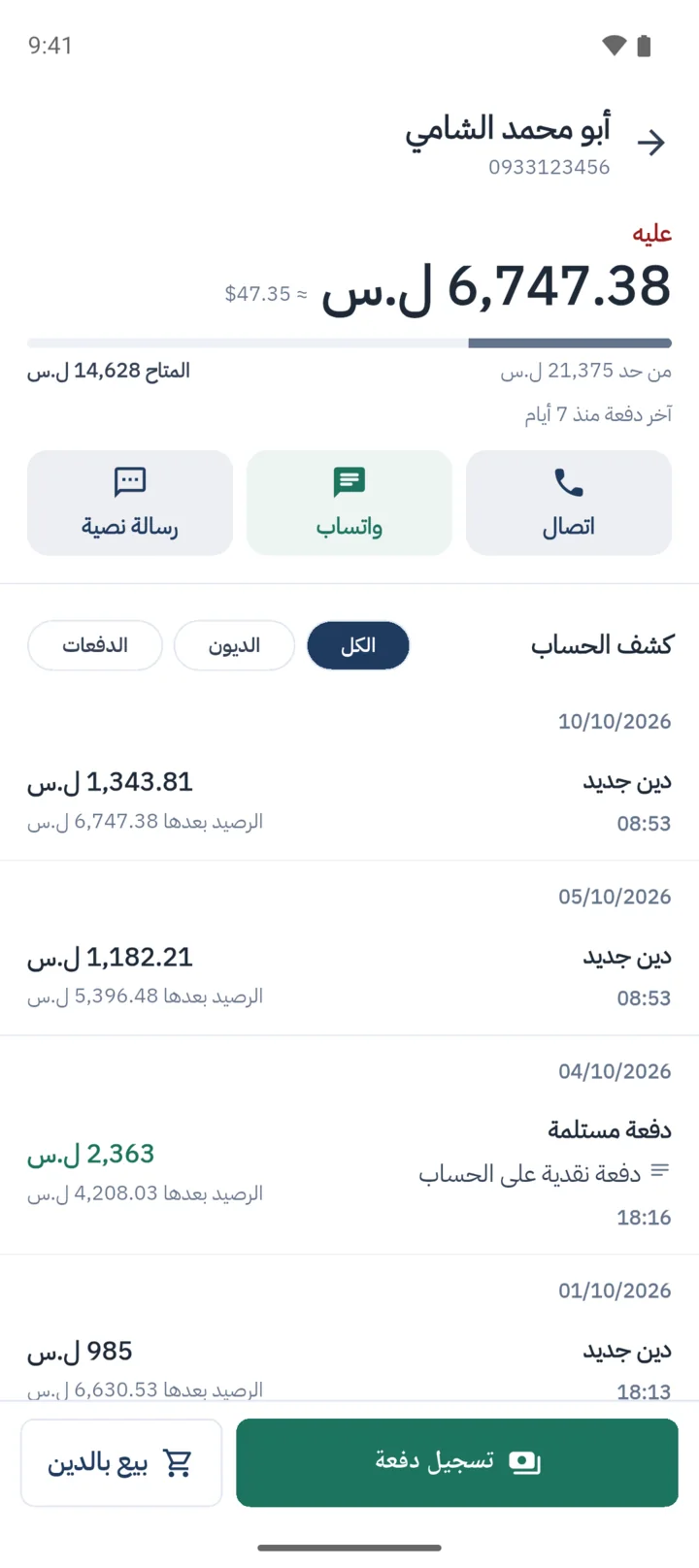
You sell to a customer on credit, against their account, and their balance moves at once, even offline.
- Selling on credit, and payments in lira or dollars.
- A customer’s debt from the paper daftar, brought over when you add them as the first movement on their account.
- A credit limit for each customer: if a sale would take them past it, the phone refuses it.
- A reminder of what a customer owes, or their statement, from the shop’s own WhatsApp to their number.
- Economic Debt ageing, payment plans, and a statement you can print.
Stock and what it costs
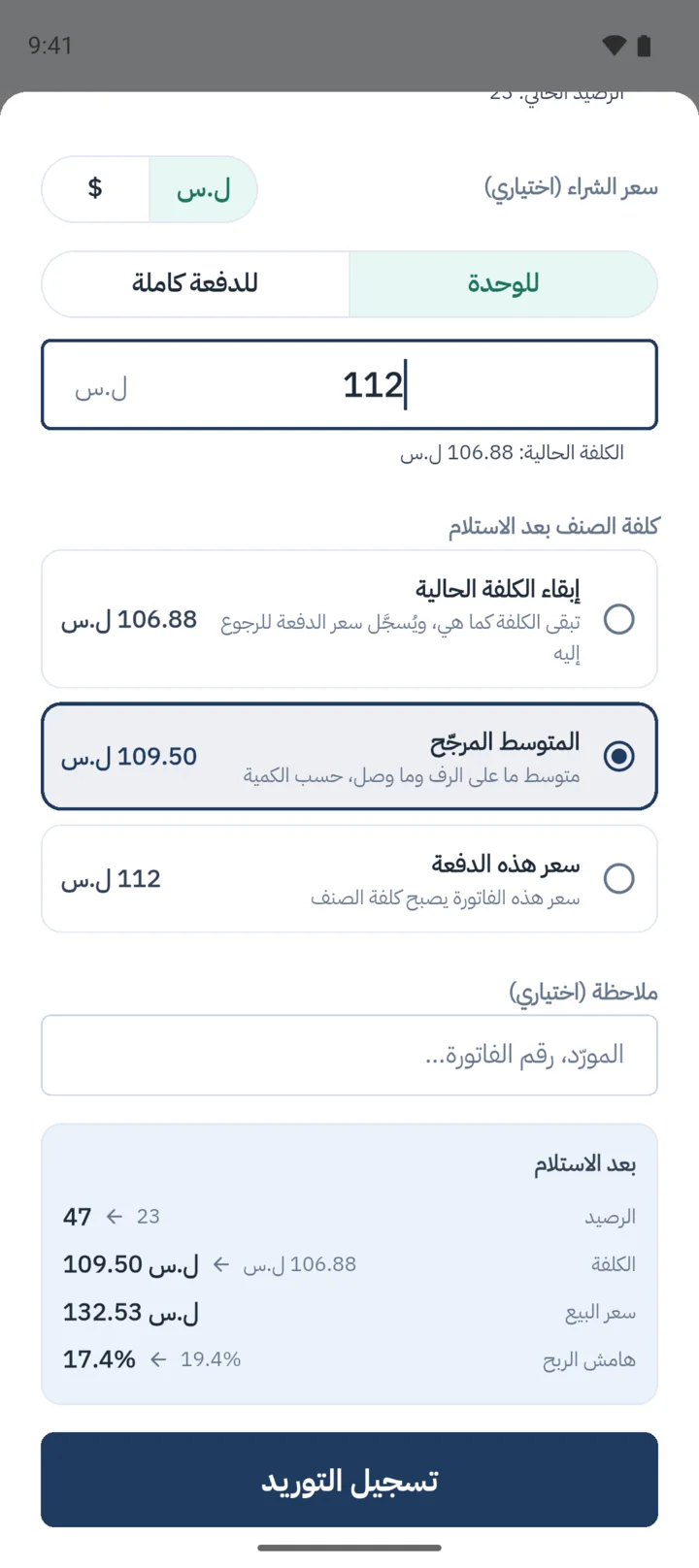
Record the quantity received and the purchase price from the supplier’s invoice, and Mizan shows the new cost and the profit margin.
- Products, prices and categories from the phone.
- Receiving stock at its purchase price, and a warning if the cost has reached or passed the selling price.
- Each product’s movement history: what changed, by how much, when.
- Counting the shelf and posting the difference.
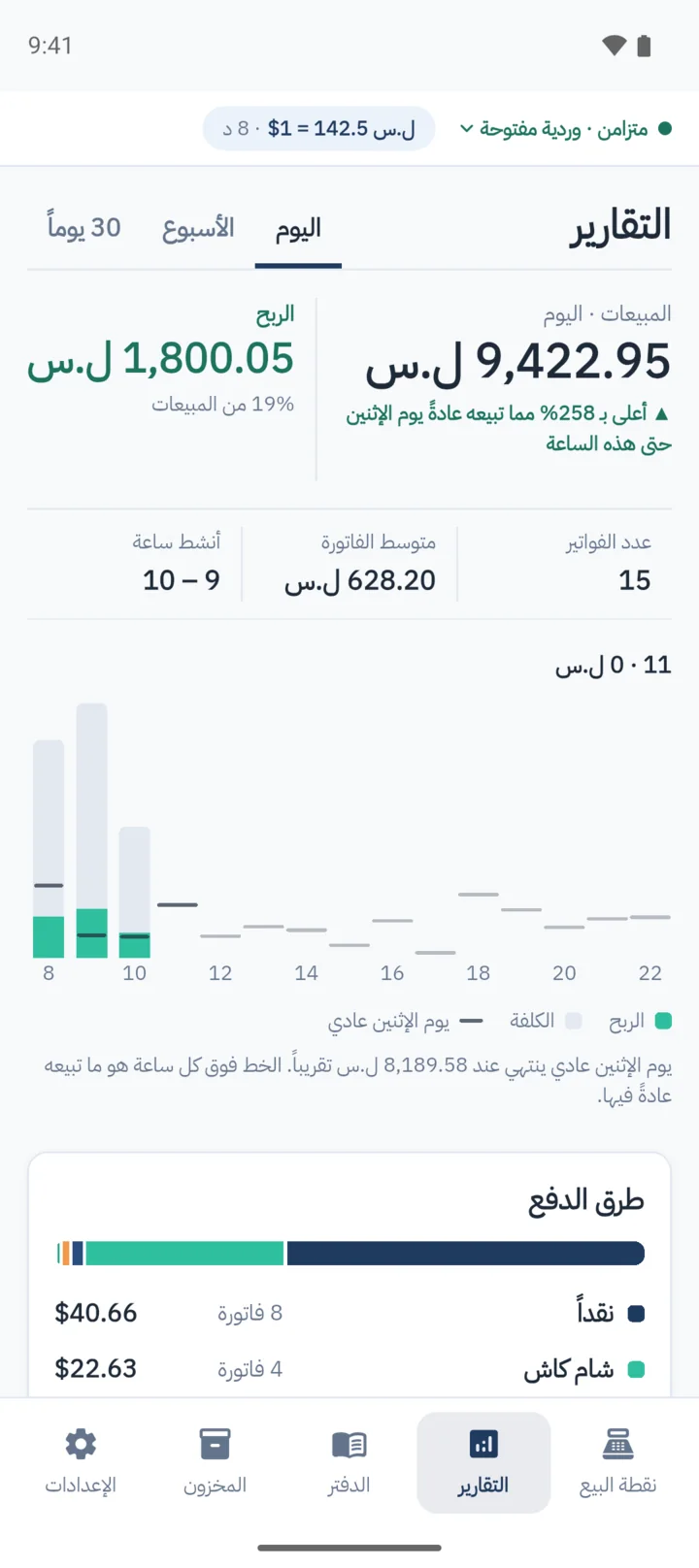
How is today going?
Reports on the phone, without waiting for the end of the month or for the accountant.
- Sales, profit and cost, and today against a usual day by this hour.
- What sold most, and how the money came in.
- Economic Cashier performance, and the dashboard reports.
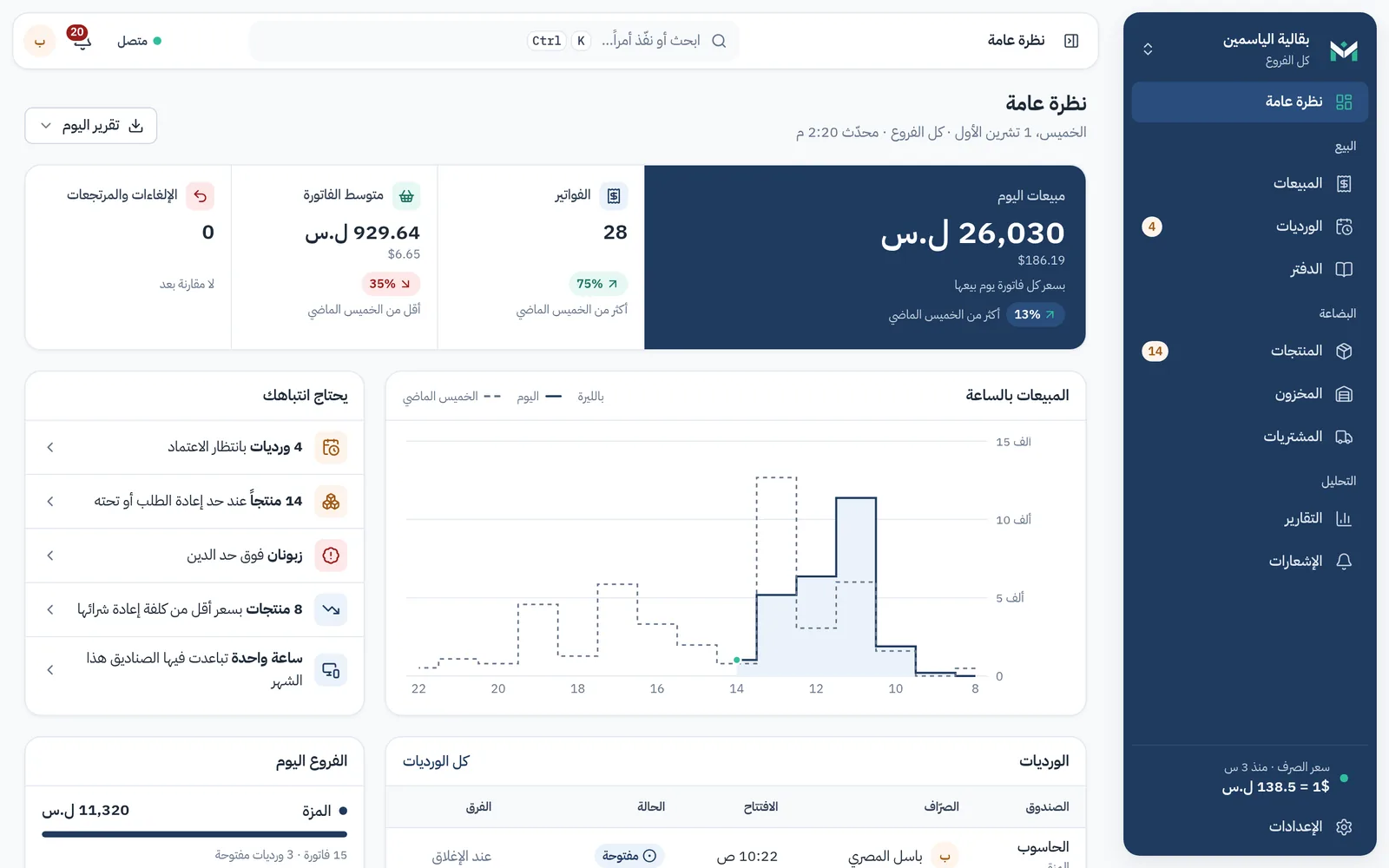
The web dashboard Economic
For the owner, admins and managers, in any browser, an iPhone’s included. The pictures are from a demo shop.
- More than one branch, and more than one till per branch.
- Staff accounts with roles: owner, admin, manager, cashier.
Today’s takings across every branch, sales by the hour, and open shifts.
A day at the till
An ordinary day in a shop selling with Mizan on a phone. The hours are an example; everything in the lines works in the app today.
Opening the shift
You open the shift with the float in the drawer. The exchange rate has arrived from the server, and its age is written at the top of the screen.
A customer with three things
Scan the barcode with the phone’s camera or a scanner. The cheese goes by weight, to three decimals: 0.350 kg. A customer who says "a hundred pounds’ worth" gets sold by the amount, and Mizan works out the weight.
The internet drops
You carry on selling as if nothing happened. Sales wait on the phone and go up when the line is back, and a sale that arrives twice is counted once.
Three customers at once
A cart for each customer, up to six, moved between with a tap, so nobody stands waiting for someone else’s bill.
Abu Khaled, on the daftar
You sell to him on credit, against his account, and his balance moves at once, even offline, and you send him the receipt on WhatsApp from the phone. If a sale would take him past the credit limit you set him, the phone refuses it before the goods leave.
The delivery arrives
Record the quantity received and the purchase price from the supplier’s invoice. Mizan shows the new cost and the profit margin, and warns you if the cost has reached or passed the selling price.
How is today going?
Reports on the phone: sales, profit and cost, today against a usual Thursday by this hour, what sold most, and how the money came in.
Closing the shift
Count the drawer note by note, and the phone shows the closing report: what was taken by each way of paying.
Economic If the drawer is out by more than you allow, you get a WhatsApp, and a manager approves the shift on the dashboard.
Try it in your shop for seven days
Get the app, register your shop, and sell from the first day. If you want to ask before you start, we answer on WhatsApp, in Arabic.